NVR & security-camera alerts
Turn NVR alerts into text messages.
The major carriers shut down their free email-to-text gateways, and camera alerts that used to arrive as texts went quiet. NVRtxt turns them back on — your recorder emails a unique address, and we deliver a clean SMS to any phone.
Works with Hikvision, Dahua, LTS, Uniview, Reolink, Lorex, Amcrest & more.
Why texts stopped
The free email-to-text gateways are gone
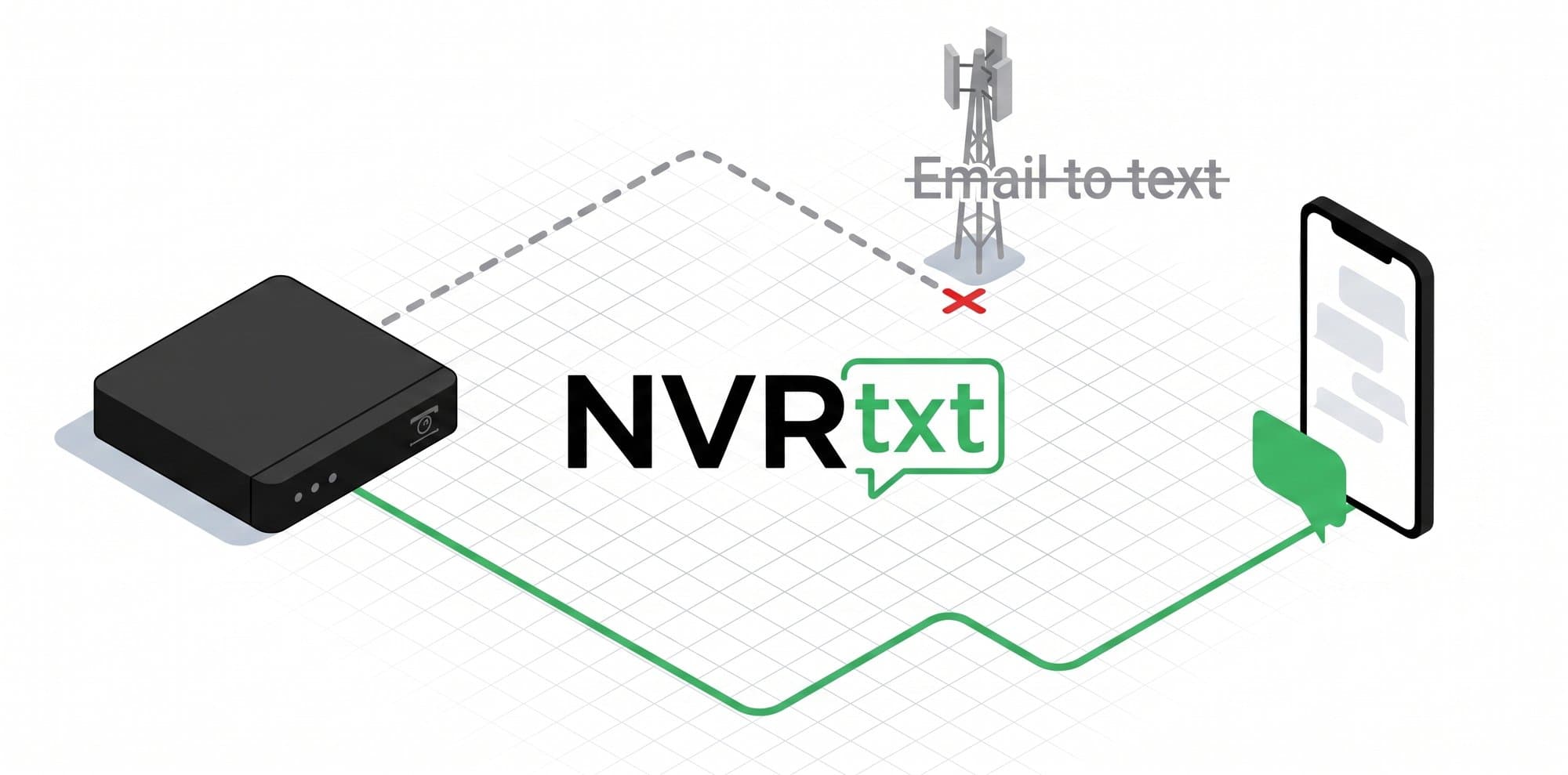
For years, NVRs emailed addresses like 5551234567@vtext.com to reach a phone as a text. In 2025 Verizon, AT&T, and T-Mobile retired those gateways to fight spam — and overnight, motion alerts stopped showing up.
If your camera alerts went silent and nothing on the recorder changed, this is almost always why. The recorder is still sending email — there’s just nothing on the other end turning it into a text anymore.
NVRtxt is that other end. We give each recorder a real inbound mailbox, clean up the alert, and send it over carrier-grade, fully registered 10DLC messaging — the compliant replacement for the gateways that disappeared.
How it works
Three steps to camera texts
No new hardware, no firmware flashing. If your recorder can send an email alert, you’re most of the way there.
Create an endpoint
Point your NVR’s email alerts at it
Add phone numbers and get texts
Your NVR sends alerts to an address like
front-door-a1b2c@alerts.nvrtxt.com…and each alert arrives on your phone as a short, readable text.
What you get
Built for alerts you can actually rely on
Clean, readable texts
We parse out the event, camera, and time, so you get “Motion: Back Lot (D4) 9:14 PM” — not a full email you have to decode on a lock screen.
Works with virtually any system
If your NVR, DVR, or camera can email an alert, NVRtxt can text it. Dedicated parsing for Hikvision and LTS; a universal parser for everyone else.
Multiple recipients
Forward each endpoint’s alerts to as many phones as you like. Add owners, managers, and on-call staff — each one gets the text.
Built-in abuse controls
Per-endpoint hourly throttles, monthly caps, and a circuit breaker keep a chatty camera from blowing up your phone — or your bill.
Full activity log
Every alert is logged with its status — received, parsed, sent, delivered, or blocked — so you can see exactly what went out and when.
Compliant A2P messaging
Delivered over registered 10DLC with STOP/HELP handling — not a gray-market gateway that can disappear overnight.
Who it’s for
From single homes to hundreds of sites
The same simple pipeline scales from one camera to an integrator’s entire book of business.
Security installers & integrators
Roll out reliable text alerts across every client site from one dashboard.
Learn more →Businesses with cameras
Get motion and event alerts to the right staff phones, instantly.
Learn more →Homeowners & prosumers
Bring back the camera texts your carrier turned off.
Learn more →Supported brands
Setup guides for every major NVR
Step-by-step email-to-text instructions for the systems installers and owners use most. Don’t see yours? The universal parser handles almost any recorder that can email an alert.
FAQ
Common questions
- What happened to email-to-text for camera alerts?
- In 2025 the major US carriers — Verizon, AT&T, and T-Mobile — shut down their free email-to-SMS gateways (vtext.com, txt.att.net, tmomail.net, and similar). NVRs that emailed those gateways silently stopped delivering texts. NVRtxt restores the workflow using compliant, registered A2P 10DLC messaging.
- Do I need a special NVR or camera?
- No. Any NVR, DVR, or IP camera that can send email alerts over SMTP works — that covers almost every brand. You simply point its email-alert setting at the unique address NVRtxt gives you.
- Which brands does NVRtxt work with?
- Hikvision and LTS get dedicated, label-exact parsing. Dahua, Uniview, Reolink, Lorex, Amcrest, ANNKE, Hanwha/Wisenet, Axis, Blue Iris, Synology and many more are handled by a universal, structure-aware parser. See the setup guides for step-by-step instructions per brand.
- How are the text messages formatted?
- NVRtxt reads the alert email and extracts the event, camera, and time, then sends a short line like "Motion: Driveway (D1) 12:58 PM" — not a wall of raw email text. Long alerts are trimmed to fit a single SMS.
- Can I send alerts to more than one phone number?
- Yes. Each endpoint can forward to as many phone numbers as you need — owner, manager, on-call staff. Every recipient can reply STOP to opt out at any time.
- Will it flood my phone with texts?
- No. Each endpoint has an hourly rate limit and each account a monthly cap, plus a global circuit breaker. A misconfigured or chatty camera can’t run up a storm of texts or your bill.
- How is this different from my camera app’s push notifications?
- Push notifications need the manufacturer’s app installed, logged in, and online on each phone. An SMS reaches any phone — including staff, family, or an answering service — with no app required, and it’s far harder to miss.
- Do I have to run my own email server?
- No. Your NVR needs a mailbox to send from (a free Gmail or Outlook account with an app password works fine). NVRtxt receives that email at your unique address and converts it to a text. Each setup guide lists the exact SMTP settings.
Get camera alerts back on your phone
Create an endpoint, point your NVR at it, add your number. Most setups take about ten minutes.